
Editorial
Why Mini-Games Load at Different Speeds (and How to Shorten Waits)
Some games open in a second; others take ten. Asset size, code weight, and your network all play a part.
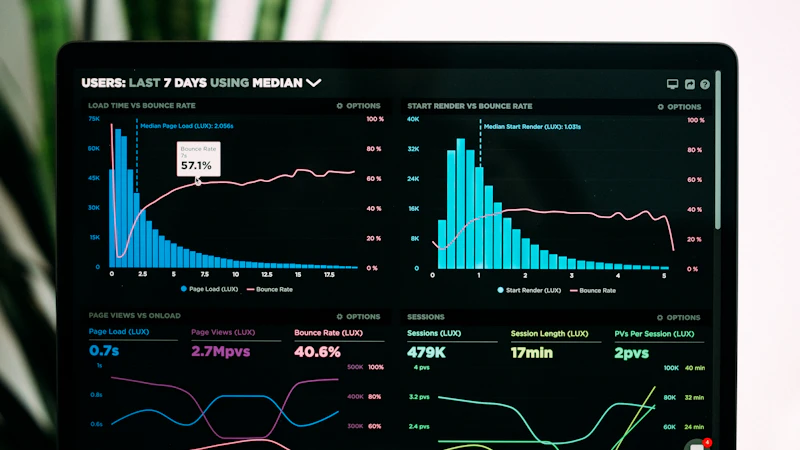
What drives load time
Not every browser game is built the same. A match-three puzzle might ship a few small sprites. A 3D physics arcade bundles HD textures, longer music files, and heavier JavaScript.
Your wait time is the sum of download size plus how fast your device can parse and run the code.
CDN delivery and server distance add hidden seconds even when asset size is modest.
Playing at peak evening hours on shared home Wi-Fi can mimic a slow mobile network.
Heavy vs light titles
Shooting and 3D games usually sit at the slow end. Simple click and tile games often appear instantly because the first playable screen is tiny.
That gap is normal. It reflects art and audio choices, not a broken site.
Browser dev tools on desktop show which files stall. Large PNG sprites and uncompressed audio are usual suspects.
Developers sometimes ship a lite mode in settings; toggle it if the game offers a quality slider.
Three safe ways to speed things up
Clear stale browser cache once a month so old bundles do not stack up. Close tabs you are not using. On mobile, prefer Wi-Fi over a weak LTE signal when trying a new game for the first time.
Some browsers preload images aggressively. If loads feel stuck, try the browser Vivid-seed Games recommends for HTML5 play, usually a current Chrome or Safari build.
Updating your browser matters. Older WebGL support can retry failed shader compiles and stretch load time.
A quick browser update once a quarter prevents odd stalls nobody can reproduce on new builds.
Offline cache for repeat play
After the first full load, many games store core files locally. The second open on the same device can feel instant even on a slow network.
Load your commute favorites once at home on Wi-Fi. That one-time wait pays off all week.
Keep a personal fast list: three games that always open quickly on your phone.
That list saves you on bad signal days when experimenting with new titles feels risky.
Common mistakes
Assuming every game should load equally fast regardless of art assets.
Clearing cache before every session and wondering why nothing feels cached.
Testing load time with twenty tabs open and blaming the game embed.
Giving up after one slow try on mobile data instead of retrying on Wi-Fi.
Try it on Vivid-seed Games today
Open three titles from different rows on vivid-seed.com and note which load fastest on your device.
Bookmark the quick ones for breaks. Save heavier arcade games for home Wi-Fi.
FAQ
Loading time questions answered.
- Is a ten-second load broken? Not always. Large asset packs can take that long on slow networks.
- Does clearing cache help? Yes for corrupted old files. No if you want repeat instant opens.
- Will an ad blockers slow loads? Sometimes. Whitelist the game domain if loads hang at zero percent.
Keep exploring
Explore on Vivid-seed Games
Ready to play? Browse free HTML5 games or read more guides.
Articles on Vivid-seed Games are written by our editorial team for entertainment and general education. They are independent editorial content and are not required to link to a specific game on this site. Illustrations are sourced from licensed stock libraries (e.g. Unsplash, Pexels) as credited in captions.
More to read

Couch laptop time has a softer kind of attention

Screens can be social when the room stays in charge

Puzzle Picks for a Desk Break on Vivid-seed Games